Posts

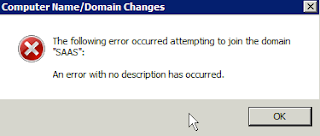
The following error occurred attempting to join the domain: An error with no description has occurred
Image
A server in our network seems not yet in our domain, so i am trying to register/insert it into our domain. But following error occurred: The following error occurred attempting to join the domain: An error with no description has occurred. Not sure why. Didn't google yet ho. So i went RDP into my Domain Controller. Discovered the Computer Name was Disabled. WHY THE F? i don't know. So, i enabled it back. Click on Computers on the left pane. Then Right Click on the Computer Name, and Enable Object. however, that DID NOT solve my issue. Hmm.. Google it is. i gogled and stumnble upon this: http://www.justanswer.com/computer/4goyr-getting-error-message-the-following-error-occurred-attempting.html Followed that conversation betweet IT ete and Customer and realize the keyword: DNS!! :D Did two things: 1) set the Domain Controller IP as the DNS server (Primary) 2) add the Domain Controller's IP and hostname into the server's c:\windows\system32\drive...

Could not start transport control program TP

Image
The case: i was about to do a Transport. and in SE09, trying to releasing the TR, the following error occurred: "Could not start transport control program TP" Straight away, went to sm21: And in st22: A quick googling is in order! And according to this site: http://scn.sap.com/thread/767026 It recommends me to do a connection test RFC.. And i did.. and it failed! And this is the moment when i realize this: - few days back i was trying to make my DEV server to have internet connection. - after some time i discovered it does not resolve any domains, thus logical thing to do is assigned it with a local DNS name server, which i did. - that apparently caused the issue. Darn it! So resolution? Simple, just remove back the name servers and everything back to normal. The things is, all in this environment uses /etc/hosts statically defining ech server involve. A name server really confuses them. Haha Ok. #LessonLearnt - Adam

SAP: User Type 'CF' Does Not Exist in Price List during USMM

Image
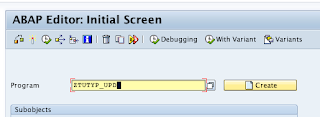
We had a case where we had to do a User Measurement Exefcise. Required by SAP. In our contract stated user type CF - SAP Business Expert User but in USMM that User Type for Price List "SAP Applications" does not seem to exists. Resolution: http://www.service.sap.com/licenseauditing   -> ‘Named User Measurement’ -> ‘Measurement Program Tips & Tricks’ -> then click the link based on your SAP_BASIS RELEASE gamba dlm email In my case, its SAP_BASIS 7.xx. So p roceed as the instruction: 1 - Log on to the target system 2 - Open the ABAP editor, transaction SE38 3 - Create a new report, for example, ZTUTYP_UPD 4 - Choose attribute "Type" as "Executable program" 5 - Save your entries as "Local object" 6 - Load the report text from the download to the text editor (notepad) and save the text on the clipboard 7 - Return to the ABAP editor and insert the text from the clipboard ...

AppleSingle and AppleDouble magic number signature

Below magic number (the four 4-bytes) in header for AppleDouble and AppleSingle file format.. The magic signature of AppleSingle files is 0x00051600, while it is 0x00051607 for AppleDouble files Source:  http://www.macdisk.com/asaden.php /alak

Second Time

Freeze agaiN! :D //alak

Service does not support chkconfig

I wanted to add a script to run automatically on startup/reboot. chkconfig it is. my original script: #!/bin/bash echo "ayam" > /tmp/test.txt But when adding to chkconfig, using chkconfig --add received the error: Service does not support chkconfig. Googling, found this two URLS: - http://linux.about.com/library/cmd/blcmdl8_chkconfig.htm - http://blog.tuxforge.com/service-does-not-support-chkconfig/ But the 2nd link seems not that proper. We still need the "#" before chkconfig word. My final script was as below: #!/bin/bash # chkconfig: 2345 95 20 # description: Description of the script # processname: Echoing ayam. echo "ayam" > /tmp/test.txt Now works like a charm. //alak

Enable/Disable ping replies although Windows firewall is up

How to still alow ping reply although you already enable Widows Firewall enable ping replies: netsh firewall set icmpsetting 8 disable ping replies: netsh firewall set icmpsetting 8 disable Ripped off from some site. /alak